Buy a Chromebook if your coursework happens mostly in a web browser (writing, research, Google Docs, online classes) and you want something cheap, light and simple. Buy a Windows laptop if your major needs specific desktop software, like engineering, design or programming tools. If you are not sure, check your college’s computer requirements first, because that one page can save you from an expensive mistake.
Every August, students and parents ask the same thing: is a Chromebook enough for college? For some students it is the perfect choice. For others it is a frustrating waste of money. Here is how to tell which group you are in.
This guide gives general advice and does not recommend specific models or prices, which change often. Always confirm requirements with your school and check current specs on the manufacturer’s website. Pedagogy Zone is not affiliated with Google, Microsoft or any laptop brand.
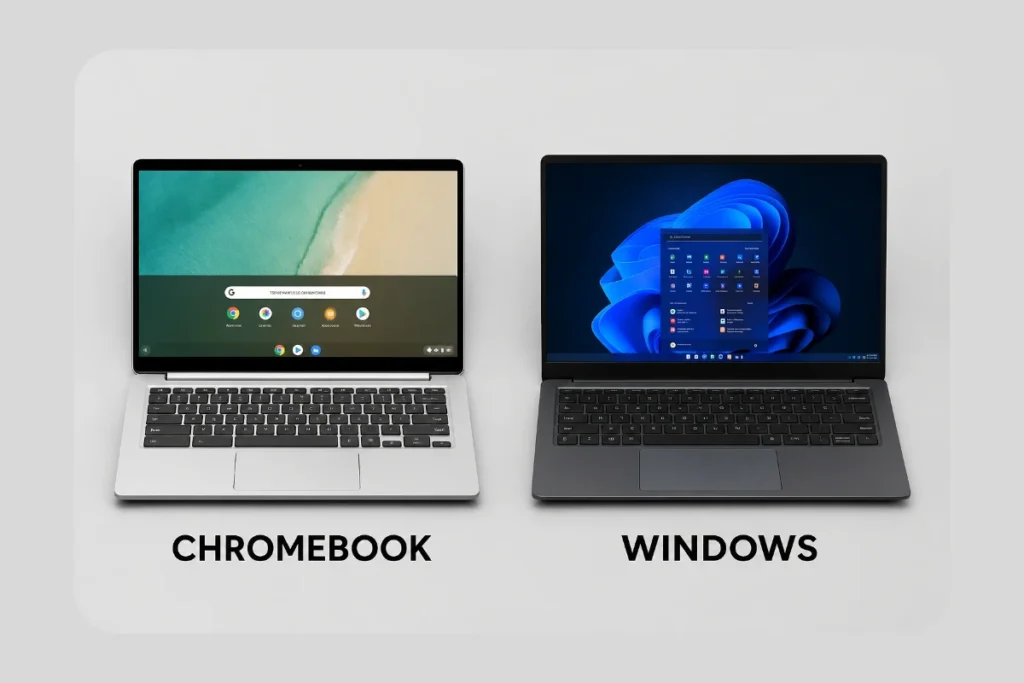
Chromebook vs Windows Laptop: Quick Comparison
| Chromebook | Windows laptop | |
|---|---|---|
| Operating system | ChromeOS, built around the Chrome browser | Windows, a full desktop operating system |
| Software | Web apps, Android apps, and Linux apps on many models | Almost all desktop programs, including full Microsoft Office and specialized tools |
| Typical price | Usually lower | Usually higher for the same speed, with a very wide range |
| Setup and upkeep | Simple, quick to start, updates in the background | More flexible, but needs more maintenance |
| Storage | Often smaller, with cloud storage (like Google Drive) doing the heavy lifting | Usually larger, and you can store everything locally |
| Best for | Writing, research, note-taking, streaming, online classes | Engineering, design, video editing, programming, data analysis |
When a Chromebook Is a Good Choice
- Your work is browser-based. If you mostly use Google Docs, Google Slides, Canvas, Blackboard, Zoom and web research, a Chromebook handles it well.
- You want a low price. Chromebooks are usually cheaper, which matters when you also have textbooks, housing and fees to cover.
- You want it light and easy. Many Chromebooks are thin and have good battery life, which is great for carrying to class all day.
- You want fewer tech headaches. ChromeOS is simple, starts quickly and updates itself. It is also less exposed to many of the viruses that affect Windows PCs.
- You already have a desktop at home or access to a computer lab. A Chromebook can be a great second device.
When You Should Pick a Windows Laptop
- Your major uses specialized software. Engineering, architecture, CAD, video editing, music production, data science and many science programs rely on programs that only run on Windows (or Mac). Examples include AutoCAD, SolidWorks and MATLAB.
- You need the full version of Microsoft Office. The web versions of Word and Excel work for basic tasks, but heavy spreadsheet users often need the desktop version.
- You plan to code seriously. A Chromebook can run Linux tools on many models, but a Windows laptop (or Mac) gives you more freedom for programming classes and larger projects.
- You play games or edit videos. Chromebooks are not designed for this.
- You want one machine that lasts all four years and does everything. A Windows laptop is more flexible if your plans might change.
Things Students Often Forget to Check
1. Your college or department’s requirements
Many colleges publish recommended computer specs, and some programs, like engineering or nursing, have their own rules. Search for “[your college] computer requirements” or ask your advisor before you buy.
2. Online test software
Some classes use proctoring or lockdown browsers for exams. Support for Chromebooks varies by school and by software, so ask your instructor or IT help desk if you will take exams on your own device.
3. How long updates last
Every Chromebook has an end date for automatic updates. Newer models often get many years of updates, but older or cheaper models may get fewer. Check the update date for the exact model before buying, especially if you want it to last through graduation.
4. Storage and internet access
Chromebooks lean on the cloud. That works well on campus with reliable Wi-Fi, but it can be a problem if your internet is spotty. Many apps and files can work offline if you set them up in advance.
5. RAM and storage on a Windows laptop
If you buy a Windows laptop, avoid the very cheapest models with very little memory, because they can feel slow quickly. As a general rule, 8 GB of RAM is a reasonable minimum for everyday use, and 16 GB is better for heavier work. Check the current requirements for your own software.
What About a Mac or an iPad?
A MacBook is another strong option, especially for students in design, film and music, and it can also handle programming well. An iPad can work as a note-taking tool, but it is rarely enough as your only computer for college. If your program has a Windows-only requirement, a Mac may not work either, so check first.
A Simple Way to Decide
- Look up your major’s requirements. If any required program is Windows-only, buy a Windows laptop.
- List what you do most. If it is writing, research, video calls and streaming, a Chromebook is likely enough.
- Set a firm budget. Include a case, a charger and a warranty or protection plan if you want one.
- Check the school bookstore and student discounts. Some colleges and manufacturers offer education pricing.
- Ask older students in your program. They know what actually works day to day.
Frequently Asked Questions
Is a Chromebook good enough for college?
For many students, yes. If your classes are mostly writing, reading and online tools, a Chromebook is enough. It is not enough if your major requires desktop software that only runs on Windows or Mac.
Can a Chromebook run Microsoft Word and Excel?
Yes, through the web versions or Android apps. They work well for most basic tasks, but they do not have every feature of the desktop versions.
Can I use a Chromebook for programming classes?
For beginner web development or Python, many students manage fine, especially on models that support Linux. For larger projects or specific tools, a Windows or Mac laptop is a safer choice.
Which lasts longer, a Chromebook or a Windows laptop?
It depends on the model. Check the update end date for a Chromebook and the hardware quality for a Windows laptop. A well-built laptop that you take care of can last all four years either way.
Can I use a Chromebook if my school uses special exam software?
Maybe. Ask your school’s IT help desk or your instructor before you buy.
Summary
- Chromebooks are cheap, light and simple, and they work well for browser-based coursework.
- Windows laptops are more flexible and are the safer choice for engineering, design and programming majors.
- Check your college’s computer requirements before you spend any money.
- Look up the update end date for any Chromebook and the RAM and storage for any Windows laptop.
- If your plans might change, the more flexible machine is usually the safer pick.
Sources and Further Reading
- Chromebook Help (search for “Auto Update policy”)
- Microsoft Support: Windows
- Your college’s IT or admissions page for computer requirements